 Web Content Viewer
Actions

Web Content Viewer
Actions
Web Content Viewer
Actions

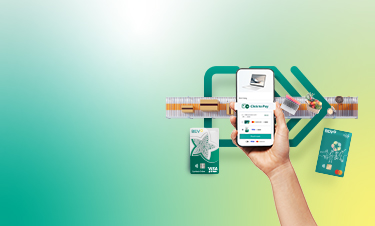
Simplified checkout
Once your BIDV international card is enrolled in Click to Pay, you can complete future purchases quickly without re-entering your card details wherever the Click to Pay icon  is displayed.

Fast and Seamless Digital Checkout
Your payment information is securely stored and available whenever you need it. Use the same payment profile across participating merchants and devices for a more convenient checkout experience.

Smart security
Online checkout with greater confidence using Click to Pay. With multiple layers of payment security and anti-fraud detection system monitors every payment in real time, Click to pay protects your card information so you can enjoy a safer and more worry-free online checkout experience.
- Click to Pay is a fast and secure online checkout solution supported by Visa and Mastercard. It allows cardholders to securely store their payment information and enjoy a faster checkout experience at participating merchants displaying the Click to Pay icon

- Step 1: Open BIDV SmartBanking and select the international card you would like to enroll in Click to Pay.
- Step 2: Confirm your registered email address and mobile phone number and accept the Terms and Conditions.
- Step 3: Verify your enrollment request on BIDV SmartBanking.
- Step 4: Receive a successful enrollment notification via BIDV SmartBanking
- Step 1: Select goods/ services and proceed to checkout.
- Step 2: Select Click to Pay and enter your registered email address or mobile phone number to access your saved cards.
- Step 3: Enter the OTP via SMS/email from Visa/Mastercard to authenticate and view your registered Click to Pay cards.
- Step 4: Select your preferred card and provide any additional details, if required.
- Step 5: Complete 3D Secure authentication, if prompted, and finish your payment.
- List of payment platforms/e-commerce websites supporting Click to Pay. Learn more here
- Pay at your favorite participating merchants wherever the Click to Pay icon
 is displayed
- For more detail, click here

 EN
EN  VN
VN
© 2018 Joint Stock Commercial Bank for Investment and Development of Vietnam (BIDV)
BIDV Tower, 194 Tran Quang Khai, Hoan Kiem, Ha Noi
Receiving phone number: 19009247 (Personal)/ 19009248 (Business)/(+84-24) 22200588 - Fax: (+84-24) 22200399
Outgoing phone number: 02422200588 - 0385290066 - 0981910333 - 0866200333 - 0981915333 - 0981951333
Email: bidv247@bidv.com.vn
Swift code: BIDVVNVX
Home
Personal
Wealth Management
About BIDV
Careers
